
6 Day vs Night Backlit Signage Color Shifts: What to Expect and How to Prevent
Backlit signage color shifts are the main reason that clients say “color galat hai” after installation. This post explains each color shift in a lightbox and how to prevent it. We will teach you backlit proofing so you can approve art with zero surprises.
7/10/20267 min read
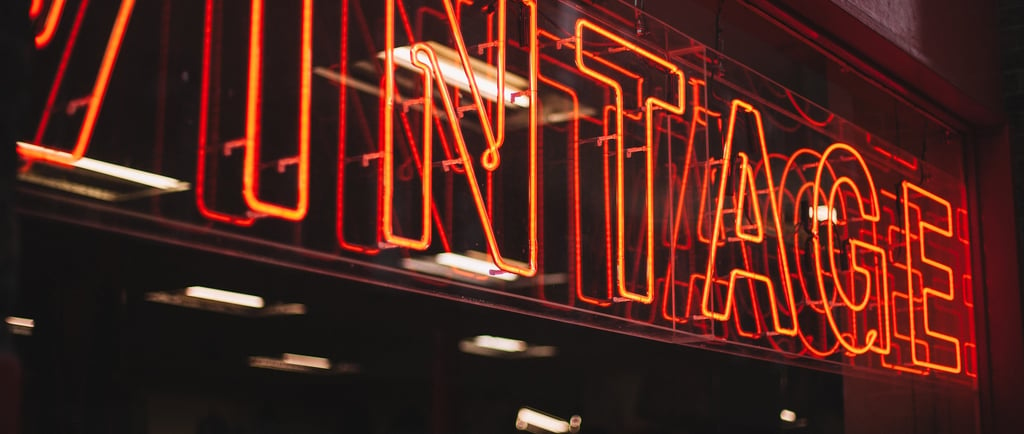
Backlit signage color shifts are the main reason that clients say “color galat hai” after installation. You approved a perfect navy blue on screen. By day, your store front lightbox looks fine. At night, blue turns purple with the backlight. Your brand manager calls asking why the logo changed. The vendor blames LEDs. You blame the printer. Nobody wins.
The day night color difference in signage happens because translucent ink printing reacts to light. Backlit colors change when illuminated from behind versus reflected light. If you’re asking, “Why does my backlit sign look different at night?” then you’ve come to the right place. Six predictable shifts occur on every project. If your vendor did not warn you, they set you up for a refund.
This post explains each color shift in a lightbox and how to prevent it. We will teach you backlit proofing so you can approve art with zero surprises. For a full material and maintenance strategy, read Backlit Printing in Karachi: Fabric vs Film Maintenance Guide (2026).
6 Day vs Night Backlit Signage Color Shifts and How to Fix Them
Let’s explore some of the predictable color shifts in backlit signs so you can avoid them in your next project.
1. Red Turns Orange at Night – Ink Density Fix
The most common backlit color shift is that red turns orange at night. Coca-Cola red creates backlit problems. Restaurant logos and sale tags all suffer. By day, the red looks correct because sunlight reflects off the surface. At night, LED light passes through the ink. If ink density in the backlit printing is below 220%, the red loses depth. The yellow spectrum in white LEDs overpowers it.
Your retail lightbox’s color shift makes Coca-Cola red look like Fanta orange. Backlit red color’s accuracy depends on two fixes. First, use double strike backlit printing on all red areas. This hits 240% ink without bleeding. Second, add white ink in the backlit printing as an underbase. White blocks the LED from washing out the red.
Red CMYK backlit files must use 100M 100Y, not 100M 100Y 30K. Black makes red muddy when backlit. Here’s how to prevent backlit color shifts on red: Request a viewbox proof of the backlit sign at night. A backlit printing company in Karachi should show you the sign lit before production. Red backlit color shift is 100% preventable with translucent ink printing specs. A backlit color profile must boost red saturation by 15%. If your vendor says “red always shifts,” find a new vendor.
2. Blue Turns Purple – LED Temperature Issue
Blue turns purple in backlit signs because of LED color temperature signage mistakes. A 6500K lightbox problem is caused by cool white LEDs. Cool white has a blue spike in its spectrum. When that blue light passes through blue ink, it doubles. Your navy blue lightbox problem is that it turns royal purple. Samsung blue in backlit signs and bank logos fails this way.
The blue backlit color shift is not an ink problem. It is a hardware problem. Wrong LED color temperature destroys brand color accuracy. A 3000K lightbox problem causes the opposite. Warm white has a yellow spike. Blue turns teal. White glows blue in a lightbox, or white turns yellow; they are the same issue in white areas.
Here’s how to prevent a backlit color shift on blue: Specify 4000K neutral white LEDs. 4000K backlit is the industry standard for retail signage color accuracy. Second, use a CRI 90 lightbox. LED CRI for signage controls color rendering. CRI 80 vs 90 in a lightbox is the difference between purple and true blue.
What CRI should be used for a retail lightbox? CRI 90 lightbox, always. Blue CMYK backlit signs need proper LEDs, not file changes. A day night mockup of a lightbox proves this before you install.
3. Black Looks Gray in Daylight – Double-Strike Needed
Black looks gray in daylight. This is a backlit black washout problem. By day, sunlight is brighter than your LEDs. If black is not dense, light passes through it. Black backlit sign problems make luxury brands look cheap. Black is not black in backlit complaints that come from malls with skylights.
Backlit black ink density must be 240% or higher. Standard black is 100K. That is gray when backlit. A rich black backlit formula is 60C 40M 40Y 100K. Double strike in backlit printing hits the media twice. The backlit black washout disappears. So, why does a backlit sign look different at night? Undersaturated black is the reason.
How to fix a backlit color shift on black: Reprint with double strike. How to prevent backlit color shifts? Test backlit print with a viewbox proof of the backlit sign in daylight conditions. The best backlit printing in Karachi simulates noon sun during proofing. A backlit printing ICC profile must include a black boost curve. Translucent ink printing cannot use black paper.
4. White Glows Blue—CRI Below 90 Problem
White glows blue in a lightbox when a low CRI LEDs lightbox meets 6500K LEDs. White backlit color shifts are visible instantly. White turns yellow in backlit signs with 3000K warm LEDs. LED color temperature signage controls white more than any color. A retail lightbox’s colors shift on white backgrounds. This destroys the clean brand look. LED CRI for signage measures how accurately colors render versus daylight.
CRI 80 LEDs make the white glow blue in a lightbox, and skin tones look green in a lightbox. A CRI 90 lightbox renders white as white. A CRI 95 lightbox is used for fashion store lightbox colors and portrait backlit printing. Bad LED lightbox installs use CRI 80 to save Rs 200 per meter.
Here’s how to prevent backlit color shifts on white: Three rules. First, specify a CRI 90 lightbox. What CRI is best for a retail lightbox? 90 minimum. Second, use 4000K neutral white. LED color temperature signage at 4000K prevents blue and yellow cast.
Third, add white ink in backlit printing on all white areas. White ink blocks LED tint. Backlit color correction for white is hardware first, ink second. Approve backlit colors only after night testing.
5. Brand Colors Off by 20% – No Backlit Profile Used
"Brand colors are off by 20%" is the corporate complaint. Logo color shifts in a lightbox happen when designers send RGB to CMYK backlit files without a backlit color profile. PMS to CMYK backlit conversion for paper does not work for translucent ink printing. Brand color accuracy in backlit signs drops because light transmission changes values.
Corporate colors in backlit signs shift 15–25% without correction. No backlit color profile is why brand colors in backlit signs fail. A backlit printing ICC profile compensates for light passing through ink. Red needs +15% magenta. Blue needs -10% cyan. Black needs double strike printing. No backlit ICC profile means your printer used paper settings. Metamerism in backlit signs makes colors match in daylight but clash at night.
Here’s how to prevent backlit color shifts on brand colors: Force your vendor to use a backlit color profile. Backlit color matching requires a viewbox proof of the backlit sign. A day night mockup of the lightbox shows you the shift before print.
Backlit color consistency across locations needs the same profile, same LEDs, and same material. The best backlit printing in Karachi keeps your profile on file. Test the backlit print with your exact Pantone. Backlit signage color problems end when profiling starts.
6. How to Proof: Viewbox Test Before Print
A viewbox proof of a backlit sign is the only way to prevent refunds. Backlit proofing means printing a 30x30cm sample on your actual material with your actual LEDs. Test the backlit print in three conditions: noon daylight, dusk, and full night. A day night mockup of the lightbox shows you all color shifts in the lightbox before you print 20 sqm.
Approve the backlit colors using this process:
Check if red turns orange at night.
Check if blue turns purple in the backlit signs.
Check if black looks gray in the daylight.
Check if white glows blue in the lightbox.
Check if skin tones look green in the lightbox if you print photos.
Check if the logo color shifts in the lightbox against the Pantone chip.
Backlit printing best practices require viewbox proofing. Why does a backlit sign look different at night? Because nobody tested it. Backlit signage color shifts are predictable. Backlit color accuracy is achievable. In-house backlit printing in Karachi with a viewbox prevents 95% of complaints. If your vendor cannot show you a lit-up proof, do not approve the job.
Conclusion: Avoid Backlit Signage Color Shifts
Backlit signage color shifts are not random. Each shift has a distinct cause. Fortunately, Stampare Productions has explained each one and how to prevent them in this guide. Ink density in backlit printing, LED color temperature in signage, CRI for lightboxes, and no backlit color profile create these problems.
If you’re still confused, reach out to Stampare Productions today! Send your brand colors and we will send a day/night viewbox photo before print. WhatsApp your logo, Pantone codes, and lightbox dimensions.
Get a quote and a consultation today to get your project started! For material choices, read Backlit Printing in Karachi: Fabric vs Film Maintenance Guide (2026).
Frequently Asked Questions
1. Why does my backlit sign look different at night?
Backlit signage color shifts happen because translucent ink printing reacts to transmitted light versus reflected light. By day you see reflected sunlight. At night you see LED light passing through ink. A viewbox proof of backlit signs shows you the difference before install.
2. How to fix a backlit color shift after install?
If the cause is LED color temperature signage or low CRI LEDs in the lightbox, replace LEDs with 4000K neutral white CRI 90 lightbox. If the cause is no backlit color profile or low ink density in backlit printing, you must reprint. Backlit proofing prevents this.
3. What is the best LED color temperature for backlit signage?
Use 4000K neutral white. 6500K lightbox problems make white glow blue in lightboxes, and blue turns purple in backlit signs. 3000K lightbox problems make white turn yellow in backlit signs and red turn orange at night. CRI for lightboxes must be 90+ with 4000K.
4. What CRI is best for a retail lightbox?
CRI 90 lightbox minimum is best. CRI 80 vs 90 in lightboxes is the difference between skin tones that look green in a lightbox and accurate photos. Low CRI LEDs in lightboxes cause a green cast in backlit signs.
5. How to match brand colors on backlit signs?
Use a backlit printing ICC profile and viewbox proof of backlit signs. PMS to CMYK backlit conversion needs +15% saturation versus paper. Brand color accuracy in backlit signs requires double strike backlit printing on key colors and a white underbase in backlit signs.
6. Do fabric and film have different color shifts?
Yes. Backlit fabric color shift is 5–8% because ink sits on woven threads. Backlit film color shift is 3–5% because film is smoother. The day night color difference in signage is slightly less on film. But translucent ink printing rules apply to both.
Contact
Reach out for custom UV printing quotes
Phone
asif_lone@hotmail.com
+92 3335 5344 43
© 2025. All rights reserved.
Trust & Process: How It’s Made—From Order to Pickup